loader

Activity No. 1: Measure the temperature and display the value in the serial console (IoT sensors kit)

Use of the NUCLEO-IKS01A3 temperature sensor.
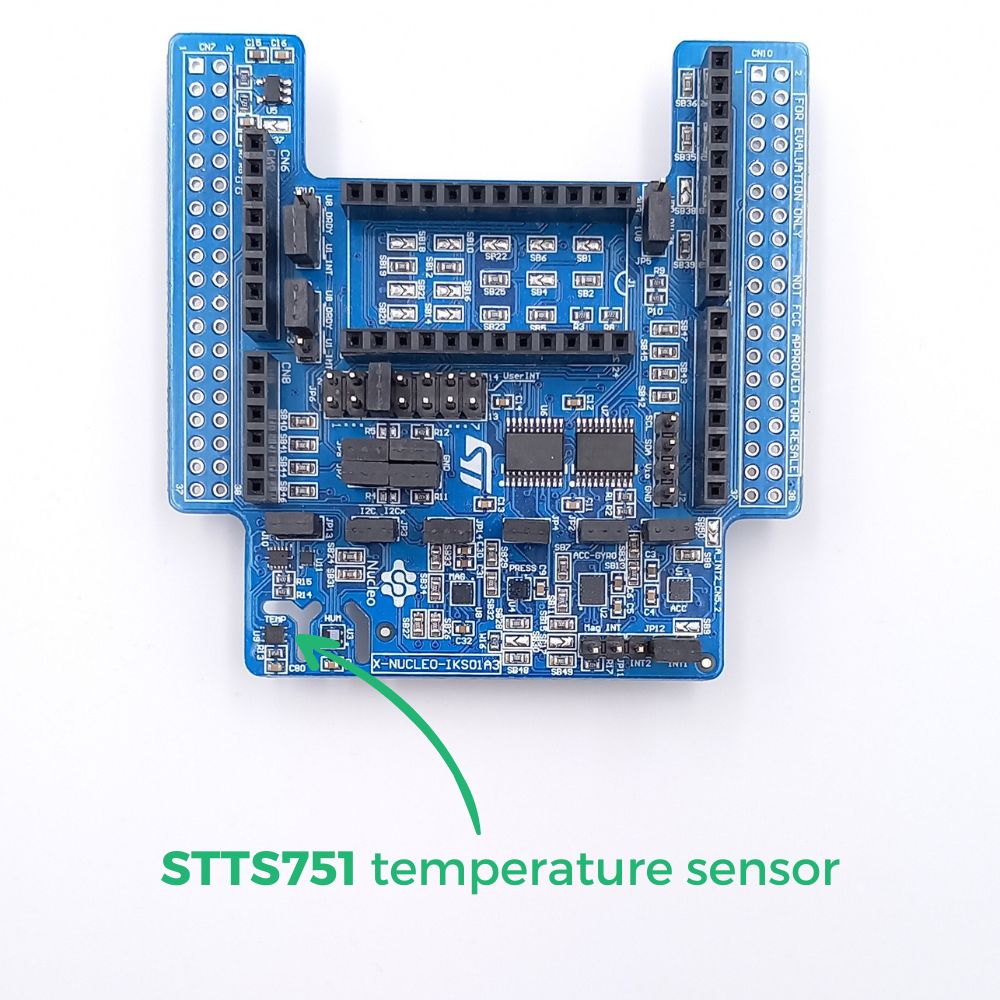
The temperature sensor of the NUCLEO-IKS01A3 is a module that measures ambient air temperature over a range of -40°C to +125°C.

The operating principle is simple. This MEMS sensor (micro-electro-mechanical systems) consists of a thermistor, a small resistor, which allows current to flow more and more easily as the temperature increases. The information returned by the sensor is the temperature value in degrees Celsius.

IKS-temp-EN

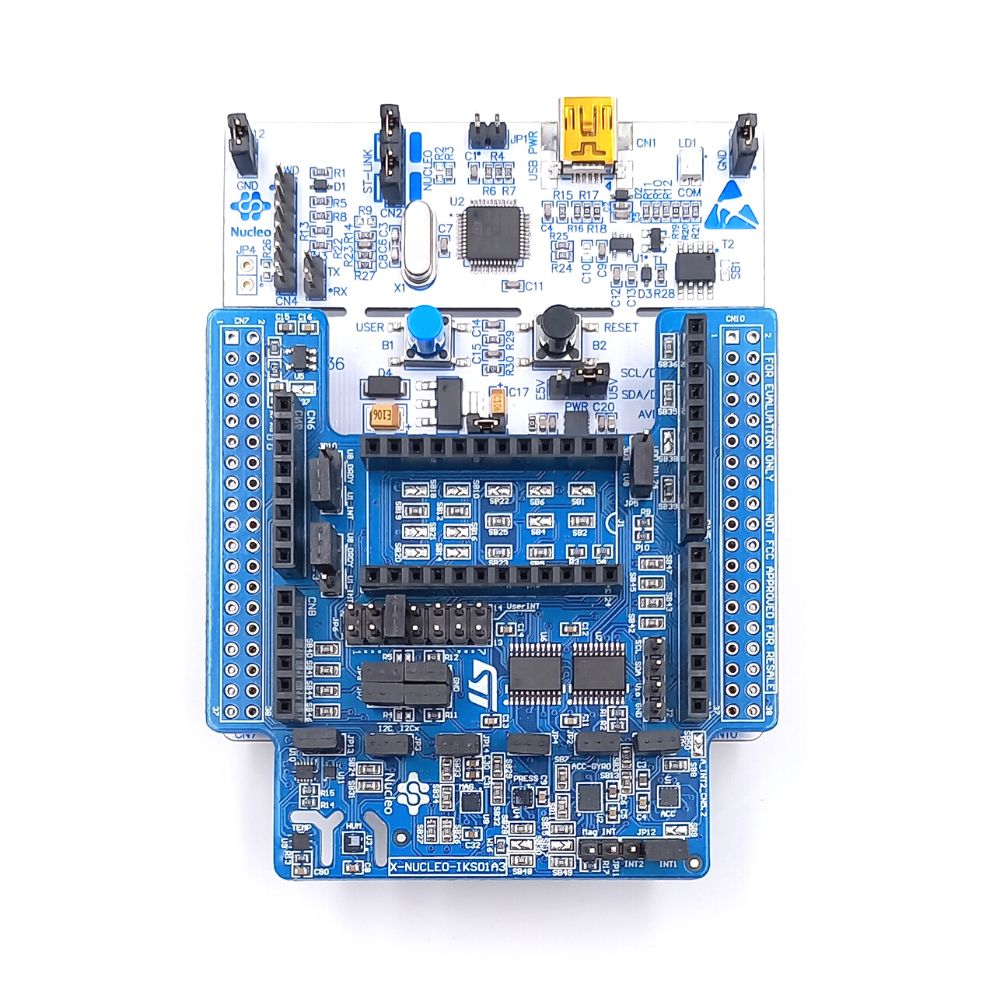
To measure the temperature using the NUCLEO-L476RG card, the following connection must be made: 
- Connect the NUCLEO-IKS01A3 to the card connectors. 
- Connect the L476RG card to the computer using the mini-usb cable
IKS+L476-FR

Let's move on to programming now! 

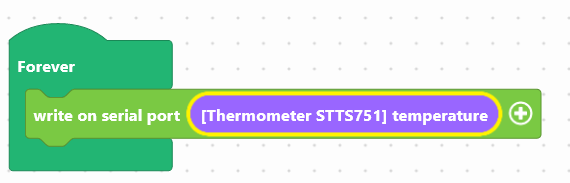
We are going to use two blocks:
- "write in the console", available in the Communication of the block locker to manage the display.
- "[STTS751 thermometer] temperature", available in the Sensors, to retrieve the value of the module.
thermometer-en

Use the following interface to program the module: 


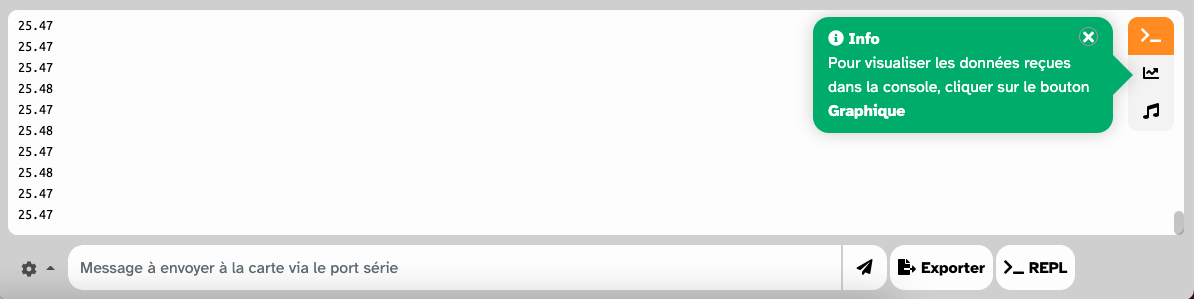
The temperature will be displayed in the console, at the bottom of the interface.
iot-console-temp-FR

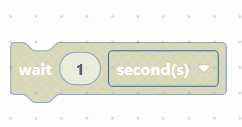
To facilitate reading, a pause of 1 second can be inserted. 

wait-en
Once the program has been created, it must be copied onto the card. To do this, use the "Upload" button (see Activity 0: Getting started with the board)

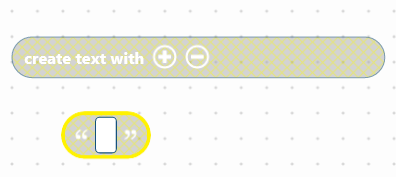
We are now going to create a text, to make it easier for the user to read, in particular by adding the symbol °C 

You must use the block "create the text ... ... ... " available in the Text part of the block locker, by combining it with the block ("...") which allows you to 'to write. 

text-en


Here is an example of ready-to-use code:


This code includes:
- the display of a text consisting of the temperature value + the acronym ° C, in the console
- a 1 second pause for ease of reading

Download the program to the card and launch the console to view the temperature. 


You succeeded ? Perfect, you now know how to program the temperature sensor using your NUCLEO-L476RG board! 
Discover the other activities of the IoT Sensors kit by clicking on the icons below.

Användarlicens