loader

Activity No. 3: Displaying a message (Starter kit Vittascience)

Using the LCD screen to display information with the NUCLEO-L476 board.
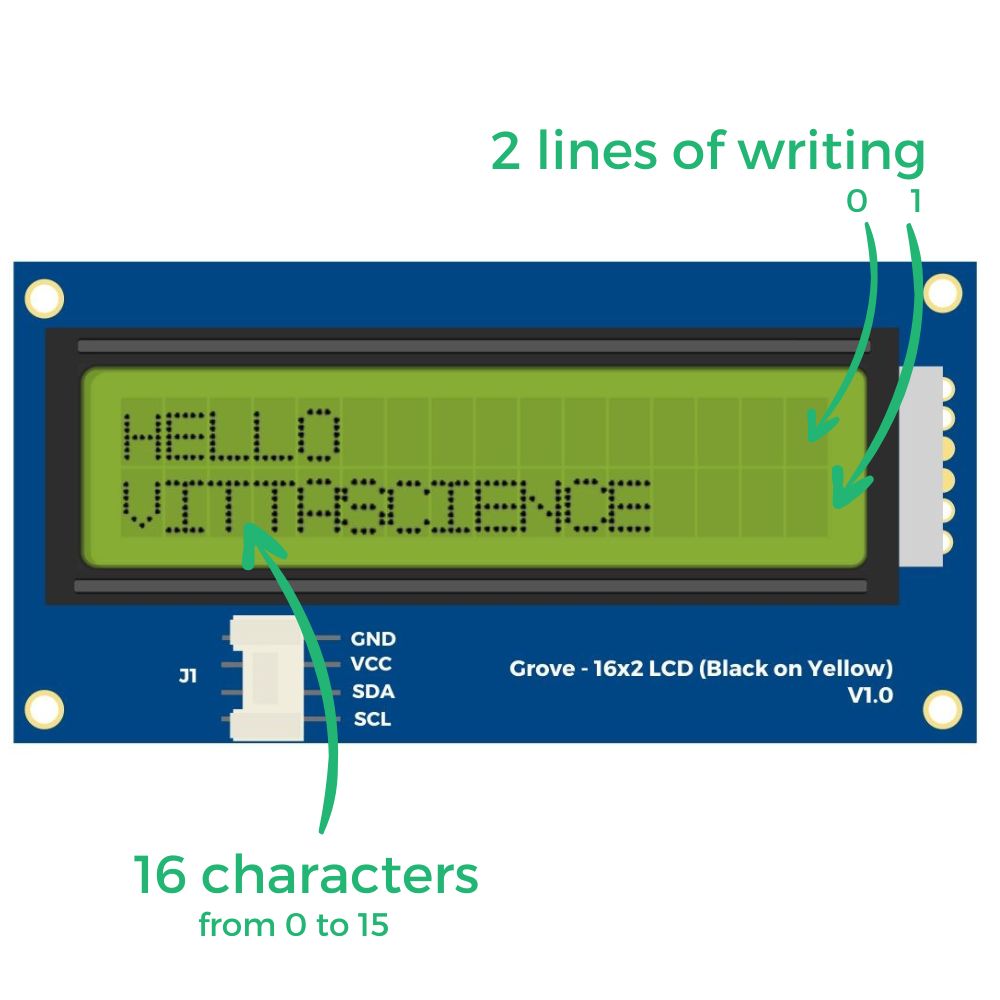
The Grove LCD screen is a module that displays a text message to the user.
The screen has a two-line, 16-character display containing small elements (called crystals) which will become opaque when current is applied. We use the term LCD, for Liquid Crystal Display = liquid crystal display.
It is possible to display letters and numbers on this module.
zoom-ecran
To program this screen, a place numbered from 0 to 15 is defined for each of the characters and two lines: 0 at the top - 1 at the bottom.

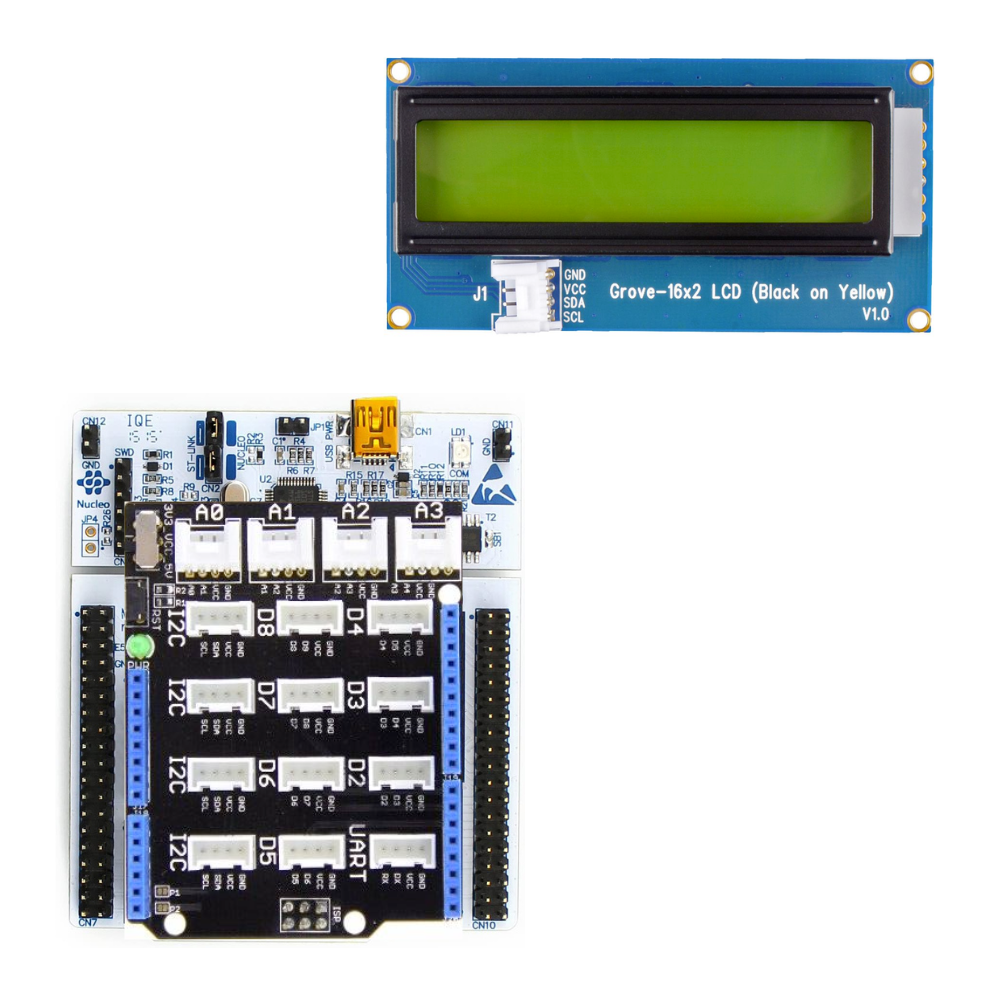
To operate this LCD screen using the NUCLEO-L476RG board, the following connection must be made: 
- Connect the Shield Grove to the connectors on the board. 
- Connect, using the Grove cable, the screen to one of the ports named I2C available.

ecran-FR

Be careful to respect the direction of connection of the Grove cable (4 wires in 1 with polarized slot).

Let's get to the programming now! 

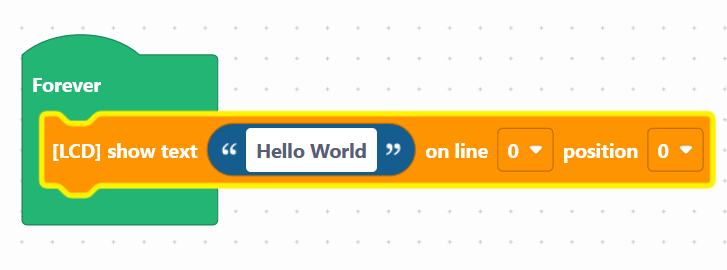
We are going to use the block: "[LCD] display text ... on line 0 position 0", available in the Display of the block locker.
lcd-en


In the block, it is possible to choose one of the two writing lines for this screen: 0 at the top / 1 at the bottom 
As well as the position (from 0 to 15) which corresponds to the beginning of the text for the characters.


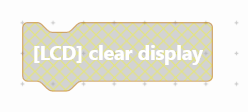
The "[LCD] Clear screen" block is used to reset the screen display. It can be used to perform text scrolling.

clear-display-en

Use the following interface to program the module: 

Once the program has been created, it must be copied onto the board. To do this, you must use the "Upload" button (see Activity 0: Getting to grips with the map)

In this part, we suggest that you display an alternative text: a text appears then disappears to make way for another. 
This type of display is often used, especially on electronic price tags in stores or on the screens of 3D printers. This displays more information.

Here is the program to create so that it runs continuously: 
- Display the text "Starter kit" on line 0 of the screen
- Wait 1 second
- Clear the screen
- Display the text "vittascience.com" on line 0 of the screen
- Wait 1 second
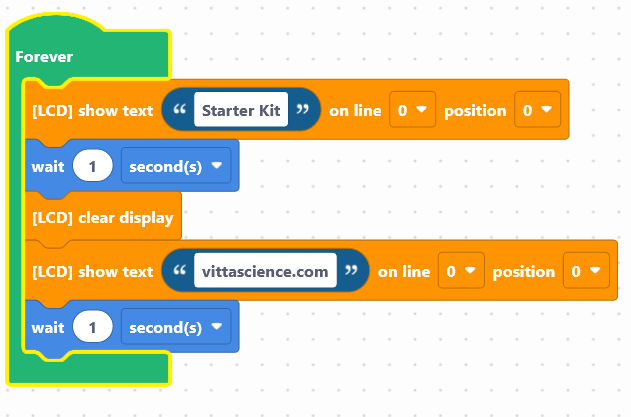

The blocks are already available on the work area. Now it's up to you: 

Launch the simulator to check that your program is running correctly or download it to the card. 

You succeeded ? Perfect, you now know how to program an LCD screen using your NUCLEO-L476RG board! 
Discover the other activities of the Starter kit by clicking on the icons below.

sol-lcd-en

Användarlicens